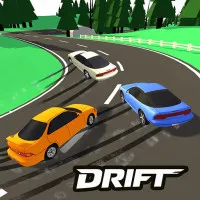












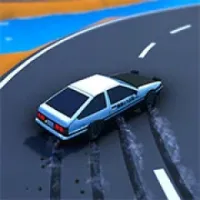





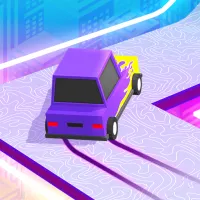



If you think you've tried every type of drifting game in the world, Driftwave will make you think again. It is an arcade game that focuses heavily on directional control.
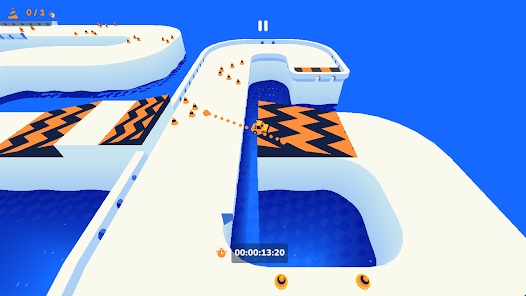
It transforms your mouse cursor (or your finger on the touchscreen) into a real steering wheel. You'll have to draw the trajectory of your car, weave through narrow walls, and create smooth, wave-like drifts.
What Makes Driftwave So Addictive?
- The "hypnotic" physics: The car responds instantly to your speed and swipe. The smooth transition from going straight to a 90-degree tailslide is incredibly satisfying.
- Challenge through each level: The game is divided into many short levels, but the difficulty increases dramatically.
- Minimalist design: Top-down perspective and bright colors help you avoid distractions and focus 100% on the car's trajectory.
- Unlock Garages: Complete levels quickly and skillfully to collect points, thereby unlocking new car models with different handling feelings.
If you're a die-hard fan of one-tap/one-touch racing games, try Sling Drift right on our website!
Controls
- Press and hold the left mouse button, then drag in any direction to steer and create a drift.
- Release the mouse to let the car go straight through inertia.
- Press and hold the mouse button without moving (or right-click) to brake.
Tips & Tricks
- Swipe gently: The biggest mistake beginners make is swiping the mouse too quickly and forcefully. It causes the car to spin out. Drag and drop slowly to feel the car's inertia.
- Predict the next corner: Don't wait until you're right against the wall to start swiping. Start dragging the mouse to create the drift angle before you enter the corner.
- Use the brakes at the right time: Many players forget the braking mechanism. (Keep the mouse/finger still).
FAQs
Is there a time limit on each level in Driftwave?
There is no countdown timer to force you. The main goal is to overcome obstacles and reach the finish line safely. However, if you want to set a speedrun record, you can try to complete the level in the shortest time.
Is the operation on my phone as smooth as with a computer mouse?
Absolutely! In fact, many gamers rate playing Driftwave on a mobile touchscreen as much more natural and engaging than using a PC mouse.
How do I prevent the car from crashing into the wall at the end of a drift?
You need to learn how to "re-steer." Before the car exits the corner, quickly swipe slightly in the opposite direction and then release your finger to allow the car to regain its straight position.